
What Features Make a CRM Perfect for Modern Businesses?
Running a business means dealing with leads, customers, sales calls, emails, follow-ups, meetings, tasks, and a lot of data every day. Without the right system, important information can easily get lost.
This is where a Customer Relationship Management (CRM) system becomes important.
A CRM is not simply a place to save customer names and phone numbers. A modern CRM can help businesses capture leads, manage sales opportunities, automate repetitive work, improve communication, and understand business performance.
But what actually makes a CRM a perfect CRM?
The answer is not the number of features. A CRM becomes valuable when its features work together to solve real business problems and make everyday work easier.
Discuss Your CRM Project With Us Today
1. Smart Lead Management
Every business wants more leads, but generating leads is only the beginning. The real challenge is managing them properly.
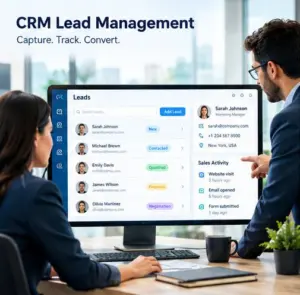
A good CRM should make it easy to capture, organize, track, and manage leads from different sources.
What Should Lead Management Include?
A useful CRM should allow businesses to:
- Capture leads from websites and forms
- Import leads from different sources
- Organize leads by source, industry, location, or interest
- Assign leads to the right sales representative
- Track lead status and activities
- Identify qualified and unqualified leads
Why It Matters
When every lead is properly tracked, sales teams are less likely to miss opportunities. They can quickly understand which prospects need attention and what action should be taken next.
2. Complete Contact Management
Customer information is often spread across emails, spreadsheets, phone records, and different applications. This makes it difficult for teams to understand the complete customer relationship.
A CRM should bring important information into one centralized location.
A Complete Customer View
Sales teams should be able to see contact details, company information, previous conversations, notes, activities, deals, tasks, and other relevant information from a single customer record.
One Record, Complete History
Before contacting a customer, employees can quickly review previous interactions. This helps create more personalized and consistent communication.

3. Visual Sales Pipeline
Sales teams need to know what is happening with every opportunity.
A visual sales pipeline makes this much easier.
Track Every Opportunity
A CRM can organize opportunities into different stages such as:
- New Lead
- Contacted
- Qualified
- Proposal Sent
- Negotiation
- Won or Lost
Instead of searching through spreadsheets, sales managers can quickly see how many opportunities are at each stage.
From Lead to Customer
The sales pipeline gives teams a clear picture of the customer journey and helps them identify opportunities that need immediate attention.
4. Powerful Workflow Automation
Repetitive tasks consume a lot of employee time. A modern CRM should reduce this manual workload through automation.
Automate Everyday Activities
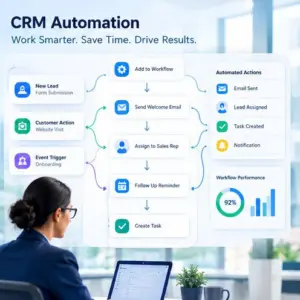
For example, when a new lead enters the CRM, an automated workflow could:
- Assign the lead to a sales representative
- Create a follow-up task
- Send an email notification
- Update the lead status
- Start a follow-up sequence
Less Manual Work, More Productivity
Automation allows employees to spend less time performing repetitive administrative tasks and more time communicating with customers and closing opportunities.

5. Automated Follow-Ups
One of the biggest problems in sales is not always a lack of leads. Sometimes, businesses simply fail to follow up at the right time.
A CRM should make follow-up management simple.
Never Lose Track of a Prospect
Users should be able to schedule calls, emails, reminders, and follow-up tasks.
Automated sequences can also help businesses maintain regular communication with prospects based on their activity or sales stage.
Timing Can Make a Difference
A timely follow-up can keep a prospect engaged while a missed follow-up can allow an opportunity to become inactive.

6. Unified Communication
Customers may communicate through email, phone calls, website forms, chat, and other channels.
A powerful CRM should help businesses keep important communication records connected to the customer profile.
Keep Conversations Organized
Sales and support teams can review previous interactions before contacting a customer.
This means employees do not have to repeatedly ask customers for information they have already provided.
7. Task and Activity Management
Sales teams often manage dozens of activities every day. Calls, meetings, demos, proposals, follow-ups, and internal tasks all need to be tracked.
A CRM should provide a simple way to manage these activities.
Manage Daily Work
Users should be able to create tasks, assign responsibilities, set deadlines, schedule activities, and mark completed work.
Better Organization for Teams
When activities are recorded in the CRM, managers can also understand what their teams are working on and whether important tasks are being completed.
8. Smart Lead Assignment
As a business grows, manually distributing every lead becomes difficult.
A CRM should support automatic lead assignment based on business rules.
Assign the Right Lead to the Right Person
Leads can be assigned according to:
- Location
- Product or service
- Sales territory
- Department
- Team availability
- Customer type
This can help businesses respond to new leads faster and maintain a more organized sales process.
9. Reports and Business Analytics
Data is useful only when businesses can understand it.
A good CRM should convert sales and customer data into clear reports and dashboards.
Understand What Is Happening
Businesses may track:
- Number of new leads
- Lead sources
- Conversion rates
- Open opportunities
- Sales pipeline value
- Closed deals
- Sales activities
- Team performance
Make Decisions Using Data
Instead of depending only on assumptions, managers can use CRM data to understand sales activity and identify areas that require attention.
10. Easy Integrations
Businesses rarely use only one software platform.
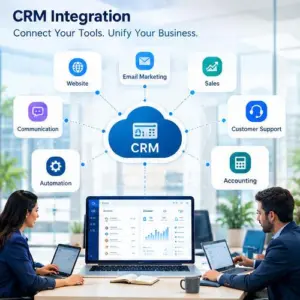
They may already use email marketing tools, websites, forms, accounting software, communication platforms, payment systems, or other business applications.
A good CRM should integrate with the tools a business already uses.
Connect Your Business Tools
CRM integrations can reduce duplicate data entry and help information move between different systems more efficiently.
11. Simple and User-Friendly Interface
A CRM can have hundreds of features, but those features have little value if employees do not want to use the system.
The interface should be simple, clean, and easy to understand.
Make Everyday Work Easier
Users should be able to quickly find leads, customers, deals, tasks, and reports without going through complicated menus.
Easy Adoption Means Better Results
When employees understand a CRM and use it regularly, businesses can get much more value from their customer and sales data.
12. Scalability for Business Growth
A CRM should not only work for today’s business. It should also support future growth.
As a company grows, it may need more users, more leads, additional automation, new teams, and more integrations.
A CRM That Grows With You
The right CRM should allow businesses to expand their processes without completely changing their system every time the business grows.
So, What Really Makes a CRM Perfect?
A perfect CRM is not necessarily the software with the longest list of features.
It is a CRM that makes the entire customer and sales journey easier to manage.
From capturing the first lead to converting that lead into a customer and maintaining the relationship afterward, every stage should be connected.
The Essential CRM Formula
A strong CRM brings together:
Lead Management + Contact Management + Sales Pipeline + Automation + Follow-Ups + Communication + Task Management + Reporting + Integrations + Scalability
When these features work together, a CRM becomes more than a database. It becomes a central platform for managing sales, improving productivity, organizing customer relationships, and supporting business growth.
Final Thoughts
Choosing a CRM should not be about selecting the platform with the most features. Businesses should focus on whether the CRM solves their actual challenges and fits their workflow.
The right CRM can help teams stay organized, respond to leads faster, automate repetitive work, maintain better customer communication, and gain clearer visibility into sales performance.
Ultimately, the best CRM is one that your team can use easily, your business can depend on, and your processes can grow with.
Get Started With Your CRM Project Today
Recent Articles