
Introduction: Understanding CRM in Simple Words
Running a business is not just about selling products or services. It is also about finding customers, understanding their needs, answering their questions, following up with potential buyers, and maintaining long-term relationships.
As a business grows, managing all these activities manually becomes difficult. Customer details may be stored in Excel sheets, conversations may be spread across WhatsApp and email, and salespeople may forget important follow-ups.
This is where a CRM system becomes useful.
CRM stands for **Customer Relationship Management**. It is a software system that helps businesses manage leads, customers, sales activities, communication, follow-ups, and customer information from one central place.
In simple words, CRM helps you understand who your customers are, what they need, what you discussed with them, and what action you should take next.
1. What Is a CRM System?
A CRM is a business management tool designed to organize and improve relationships with potential and existing customers.
Imagine you own a company that sells software. Every day, you receive enquiries from your website, advertisements, email, phone calls, and social media.
Without a CRM, you might maintain customer details in spreadsheets and communicate through different applications.
With a CRM, you can store customer information, track enquiries, assign leads to employees, schedule follow-ups, manage sales opportunities, and monitor business performance in one place.
Simple Example of CRM
Suppose a customer visits your website and asks about your product.
Your CRM process might look like this:
1. The customer submits an enquiry.
2. The enquiry is added to your CRM.
3. A salesperson receives the lead.
4. The salesperson contacts the customer.
5. The discussion and customer requirements are recorded.
6. A product demonstration or meeting is scheduled.
7. The salesperson follows up with the customer.
8. The customer purchases the product.
9. The customer record is updated for future communication.
This complete process can be managed through a CRM system.
2. What Is Generally Covered in a CRM?
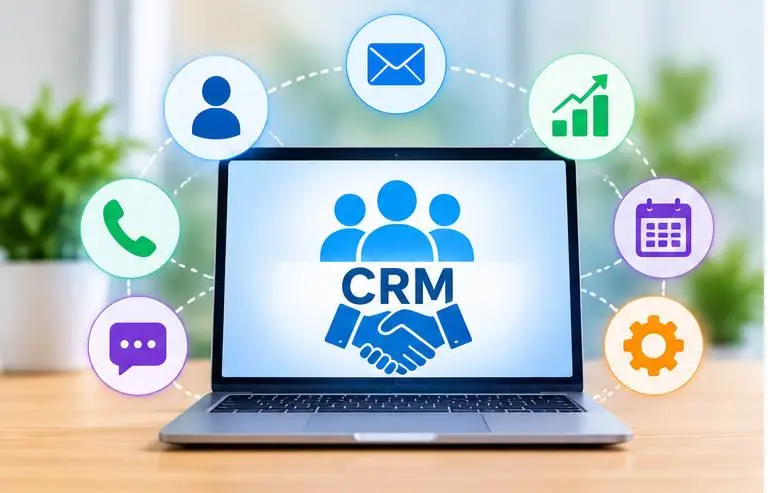
A CRM is not just a customer contact database. Modern CRM systems cover several important business activities.
2.1 Contact Management
Contact management is one of the basic features of CRM.
It helps businesses store and organize customer information, including:
- Customer name
- Company name
- Email address
- Phone number
- Business address
- Customer requirements
- Previous communication
- Customer category
Instead of searching through different files, employees can access customer information from one place.
2.2 Lead Management
A lead is a person or business that has shown interest in your product or service.
Lead management helps businesses collect, organize, assign, track, and prioritize potential customers.
For example, if 100 people submit enquiries through your website, your CRM can help you organize these enquiries and identify which ones need immediate attention.
2.3 Sales Pipeline Management
A sales pipeline represents the different stages a potential customer passes through before making a purchase.
Common sales pipeline stages include:
- New Lead
- Contacted
- Qualified
- Meeting Scheduled
- Proposal Sent
- Negotiation
- Won
- Lost
Salespeople can update the status of each opportunity as it progresses.
This helps managers understand how many deals are pending, how many are close to completion, and how many sales have been completed.
2.4 Communication Management
Businesses communicate with customers through multiple channels.
A CRM can help organize supported communication channels, such as:
- SMS
- Website enquiries
- Phone call records
- Social media conversations, where supported
The purpose is to maintain a better communication history so employees can understand previous discussions before contacting a customer again.
2.5 Follow-Up and Task Management
Following up with customers is one of the most important activities in sales.
A CRM helps employees create reminders and tasks for:
- Calling potential customers
- Sending quotations
- Sharing product information
- Following up after demonstrations
- Scheduling meetings
- Contacting existing customers
This reduces the chances of forgetting important customer interactions.
2.6 Sales and Deal Management
Deal management helps businesses track potential revenue from different opportunities.
For example:
A salesperson receives an enquiry for a service worth $2,000. The opportunity can be added to the CRM with its expected value and current sales stage.
Managers can review all open deals and understand the potential revenue in their pipeline.
2.7 Appointment and Calendar Management
Many businesses need to schedule meetings, consultations, product demonstrations, and customer appointments.
CRM scheduling features can help customers book available time slots and help employees manage their calendars.
Appointment reminders can also reduce missed meetings.
2.8 Marketing Automation
Marketing automation helps businesses perform repetitive marketing and communication activities automatically.
Examples include:
- Sending welcome messages to new leads
- Sending follow-up emails
- Sharing promotional information
- Sending appointment reminders
- Creating automated communication sequences
Automation rules depend on the CRM platform and its available integrations.
2.9 Reports and Analytics
Reports help business owners understand how their sales and marketing activities are performing.
Common CRM reports include:
- Total number of leads received
- Number of qualified leads
- Number of deals won and lost
- Salesperson performance
- Lead conversion rate
- Sales pipeline value
- Follow-up activities
- Revenue performance
These reports help management make better business decisions.

3. How Does a CRM Work? Understanding the Complete Process
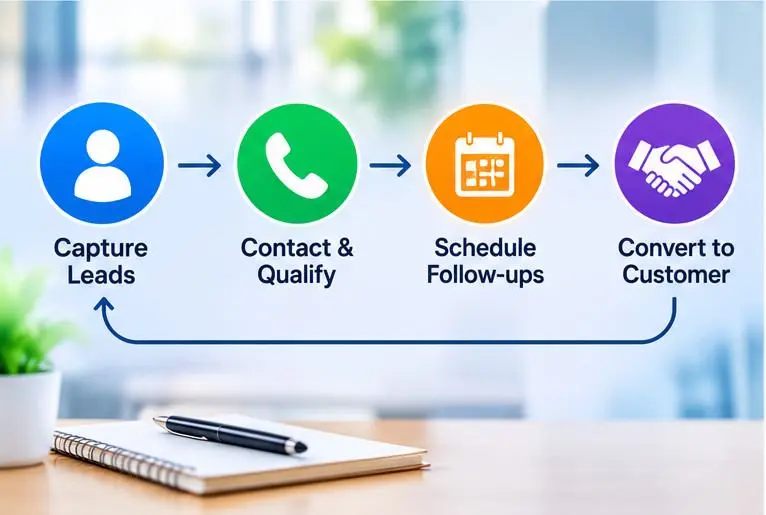
A CRM works by collecting customer information, organizing sales activities, managing communication, and helping businesses move prospects towards becoming paying customers.
Step 1: Capture Leads
The first step is collecting enquiries from different sources.
For example:
- Website contact forms
- Landing pages
- Online advertisements
- WhatsApp enquiries
- Email enquiries
- Phone calls
- Customer referrals
Step 2: Store Customer Information
Once a lead is received, its information is stored in the CRM.
The business can maintain the customer’s contact information, requirements, enquiry source, and other relevant details.
Step 3: Assign Leads to Employees
The lead can be assigned to a salesperson or the relevant department.
For example, enquiries about software development can be assigned to the software sales team, while support requests can be assigned to customer support.
Step 4: Contact and Qualify Leads
The assigned employee contacts the customer and understands their requirements.
Not every enquiry is a genuine buying opportunity. Lead qualification helps identify customers who have a genuine requirement, suitable budget, and interest in purchasing.
Step 5: Schedule Follow-Ups
If the customer is interested but not ready to purchase, the salesperson can schedule another call or meeting.
The CRM helps employees remember when to contact the customer again.
Step 6: Move the Deal Through the Sales Pipeline
As discussions progress, the deal moves through different stages, such as contacted, qualified, proposal sent, negotiation, and won.
Step 7: Convert the Lead into a Customer
When the customer purchases the product or service, the opportunity is marked as won.
The business can then maintain the customer’s information for future support, communication, renewals, and additional sales.
Step 8: Analyze Business Performance
Finally, managers review CRM reports to understand sales performance, identify problems, and improve their processes.
4. Advantages of Using a CRM
4.1 Better Customer Management
All important customer information can be organized in one system, making it easier for employees to understand customer requirements and history.
4.2 Fewer Missed Opportunities
Lead tracking, reminders, and follow-up tasks help employees manage enquiries more consistently.
4.3 Improved Sales Conversion
When salespeople respond on time and understand customer requirements, they can provide more relevant solutions and improve their chances of closing deals.
4.4 Saves Time and Reduces Manual Work
Automation can reduce repetitive activities such as sending routine messages, assigning leads, and scheduling reminders.
4.5 Better Team Coordination
Managers can assign responsibilities, monitor progress, and understand which employee is handling each opportunity.
4.6 Better Business Decisions
Reports provide useful information about lead sources, sales performance, conversion rates, and revenue opportunities.
4.7 Improved Customer Retention
Maintaining customer records and communication history makes it easier to provide consistent service and maintain long-term relationships.

5. Disadvantages of CRM Systems
Although CRM systems offer many benefits, businesses should also understand their limitations.
5.1 Initial Setup Takes Time
A CRM needs proper configuration. Businesses must create pipelines, define sales stages, add users, and configure their workflows.
5.2 Learning Curve for Employees
Employees who are used to spreadsheets or manual processes may need training before they become comfortable with CRM software.
5.3 Subscription and Additional Costs
Some CRM platforms charge monthly or annual subscription fees. Additional expenses may include integrations, messaging services, training, and customization.
5.4 Incorrect Data Entry
If employees enter incorrect information or fail to update customer records, CRM reports may become unreliable.
5.5 Too Much Automation Can Affect Customer Experience
Sending too many automated messages can irritate customers. Automation should support genuine communication rather than replace personal interaction.
5.6 Data Security and Privacy
CRM systems contain valuable customer information. Businesses must use appropriate access permissions, secure authentication, backups, and responsible data-handling practices.
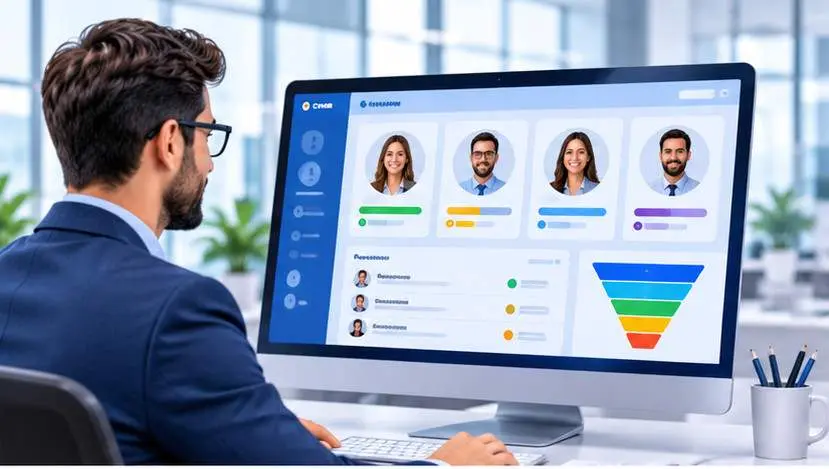
6. How to Use a CRM Properly to Increase Business Profit
Buying CRM software does not automatically increase profit. The real benefit comes from using it correctly and improving your sales process.
6.1 Respond to New Leads Quickly
When a customer submits an enquiry, try to respond as soon as possible.
A delayed response may give competitors an opportunity to contact that customer first.
Use CRM notifications and automated responses to acknowledge new enquiries and make sure a salesperson follows up.
6.2 Identify High-Quality Leads
Not every lead has the same purchasing potential.
Categorize leads according to factors such as:
- Budget
- Purchase requirements
- Buying timeline
- Level of interest
- Business requirements
Focus more attention on genuine opportunities instead of spending equal time on every enquiry.
6.3 Never Miss a Follow-Up
Many customers do not purchase during their first interaction.
Create follow-up reminders and maintain a proper communication schedule.
For example:
- Day 1: Initial enquiry response
- Day 2: Follow-up call
- Day 4: Share product information
- Day 7: Ask for feedback
- Day 10: Discuss the next step
Adjust the frequency according to customer interest and communication preferences. Always respect consent and applicable messaging rules.
6.4 Track Every Sales Opportunity
Keep your sales pipeline updated.
If a deal remains in the proposal stage for several weeks, identify the reason. Perhaps the customer needs additional information, the price is too high, or the salesperson has not followed up.
This helps businesses identify where potential revenue is getting stuck.
6.5 Automate Repetitive Activities
Use automation for routine activities such as:
- New lead notifications
- Lead assignment
- Follow-up reminders
- Appointment confirmations
- Customer welcome messages
This gives employees more time to communicate with customers and close sales.
6.6 Measure Sales Performance
Review important business metrics regularly.
Lead Conversion Rate
The percentage of leads that become paying customers.
Formula:
Lead Conversion Rate = (Number of Customers Won / Total Leads) × 100
Example:
If you receive 200 leads and convert 20 into customers:
(20 / 200) × 100 = 10% conversion rate.
Customer Acquisition Cost (CAC)
The average amount spent to acquire one new customer.
Formula:
CAC = Total Sales and Marketing Acquisition Cost / Number of New Customers
Average Deal Value
The average revenue generated from each successful deal.
Formula:
Average Deal Value = Total Revenue / Number of Deals Won
Sales Cycle
The average time required to convert a new lead into a paying customer.
Tracking these numbers helps you understand whether your sales process is becoming more efficient.
6.7 Focus on Existing Customers
Profit does not always come from finding new customers.
Existing customers may purchase additional services, renew subscriptions, upgrade products, or recommend your business to others.
Use customer records and communication history to identify relevant opportunities for repeat business.

7. Practical CRM Example: How a Small Business Can Increase Sales
Let’s understand CRM using a simple example.
Suppose you operate a digital marketing agency.
Your business receives 100 enquiries every month.
Without CRM, enquiries are managed through different spreadsheets, emails, and messaging applications. Some customers receive quick responses, while others are forgotten.
Now imagine using a CRM.
Before Using CRM
- 100 enquiries received
- Customer details maintained manually
- Follow-ups depend on individual employees
- Some enquiries are forgotten
- Sales reports are prepared manually
After Implementing CRM
- All 100 enquiries are organized in one system
- Leads are assigned to sales representatives
- Follow-up reminders are created
- Customer communication is tracked
- Deals are managed through sales pipeline stages
- Management can review conversion reports
Suppose your business initially converts 5 customers from 100 enquiries. After improving response time, qualification, and follow-up processes, it converts 10 customers.
If the average customer generates $500 in revenue, the monthly revenue from these new customers changes from $2,500 to $5,000.
This is an illustrative example, not a guaranteed CRM result. Actual profitability depends on customer quality, pricing, costs, and sales performance.

8. How to Choose the Right CRM for Your Business
Before purchasing CRM software, understand your business requirements.
Check These Important Features
- Easy-to-use dashboard
- Contact and lead management
- Customizable sales pipelines
- Task and follow-up reminders
- Email and messaging integrations
- Automation capabilities
- Appointment scheduling
- Sales reports and analytics
- Team management and permissions
- Data security and backup options
Consider Your Business Size
A small business may only need basic contact management and follow-up reminders.
A growing business may require multiple sales pipelines, team assignments, automation, shared communication, and detailed reporting.
A large organization may need more advanced integrations, permissions, customization, and scalability.
Consider Ease of Use
A CRM should simplify your work, not make it unnecessarily complicated.
Choose a platform that your employees can learn and use consistently.

9. How LeadScaler Pro Helps Businesses Manage Leads and Customers
Choosing the right CRM is an important step towards creating an organized sales process.
LeadScaler Pro by Purpletree Software LLP is a CRM and lead growth platform designed to help businesses capture enquiries, organize leads, manage sales opportunities, automate follow-ups, and improve customer communication.
It brings important sales activities together in one connected workspace.
9.1 Lead Management
Organize customer enquiries and prioritize potential business opportunities.
This helps sales teams maintain better control over incoming leads and understand which enquiries need attention.
9.2 Visual Sales Pipeline
Manage opportunities through customizable sales stages.
Track deals from the initial enquiry to successful conversion and understand where each opportunity stands.
9.3 Smart Automation
Use configured automation workflows to streamline routine activities and make customer follow-ups more consistent.
9.4 Unified Inbox
Bring supported customer conversations, including email, SMS, and messaging channels, into a more organized communication workspace.
9.5 Appointment Scheduling
Make it easier for customers to book appointments and coordinate meetings through scheduling capabilities.
9.6 Growth Reporting
Monitor leads, deals, pipeline activity, and sales performance to understand business progress and identify opportunities for improvement.
Who Can Use LeadScaler Pro?
LeadScaler Pro can be useful for:
- Small and medium-sized businesses
- Digital marketing agencies
- Real estate companies
- Software and IT companies
- Consultants and service providers
- Sales and customer support teams
- Businesses receiving enquiries from multiple channels
Explore the platform: https://leadscaler.pro/
10. Common CRM Mistakes Businesses Should Avoid
Even after purchasing a CRM, some businesses fail to get the expected results because of poor implementation.
Using CRM Only as a Contact Database
A CRM should be used to manage the complete customer journey, not just store names and phone numbers.
Not Updating Lead Statuses
If salespeople do not update deal stages, managers cannot understand the actual sales pipeline.
Ignoring Follow-Up Reminders
A CRM is useful only when employees act on the reminders and tasks created in the system.
Creating Too Many Complicated Workflows
Start with simple processes and add automation gradually as your business requirements grow.
Not Training Employees
Make sure every team member understands how to add leads, update customer information, record activities, and manage opportunities.
11. Conclusion: Is CRM Important for Business Growth?
Yes. CRM has become an important business tool for organizations that want to manage customer relationships, improve sales processes, and grow efficiently.
It helps businesses organize customer information, track leads, manage communication, schedule follow-ups, monitor deals, and understand sales performance.
However, simply purchasing CRM software is not enough. Businesses must create proper workflows, train employees, maintain accurate information, and regularly review their sales performance.
When used correctly, a CRM can help reduce missed opportunities, improve customer experience, save time, and increase the chances of converting enquiries into paying customers.
If you are looking for a connected platform to organize your sales activities, manage leads, and improve follow-ups, explore **LeadScaler Pro**.
Visit LeadScaler Pro and discover a more organized way to manage your business growth.
Frequently Asked Questions (FAQs)
1. What does CRM stand for?
CRM stands for Customer Relationship Management. It refers to the strategies, processes, and software businesses use to manage relationships with potential and existing customers.
2. What is the main purpose of CRM?
The main purpose of CRM is to organize customer information, manage leads, improve communication, track sales opportunities, and build stronger customer relationships.
3. What are the five main functions of CRM?
Five important CRM functions are contact management, lead management, sales pipeline management, communication management, and reporting.
4. Is CRM useful for small businesses?
Yes. Small businesses can use CRM to organize enquiries, manage follow-ups, track customers, and improve their sales processes.
5. Can CRM increase sales and profit?
CRM can support business growth by improving lead management, response time, follow-ups, and customer retention. However, profitability depends on how effectively the business uses the system.
6. What is the difference between CRM and ERP?
CRM focuses mainly on customers, leads, sales, and relationships. ERP (Enterprise Resource Planning) focuses on managing broader business operations such as inventory, accounting, purchasing, manufacturing, and resources.
7. Is Excel a CRM?
Excel can be used for basic customer tracking, but it does not provide the complete functionality of a modern CRM, such as automated workflows, shared inboxes, pipeline management, and integrated reporting.
8. How long does CRM implementation take?
Basic CRM setup may take a few hours or days, while larger implementations involving data migration, integrations, training, and customized workflows may take considerably longer.
9. What is a sales pipeline in CRM?
A sales pipeline is a visual representation of the stages a potential customer passes through, from the first enquiry to a successful purchase.
10. Which CRM should a growing business choose?
A growing business should choose a CRM that offers lead management, customizable pipelines, communication tools, follow-up automation, reporting, and the ability to scale as the business grows. LeadScaler Pro is one platform worth exploring for these requirements.
Recent Articles